

Microsoft Word 2013: Getting Started with Word 2013
This video is designed for first-time users of the word processing program, Microsoft Word 2013. However, even if...
Microsoft Word 2013: Inserting Graphic Objects
This course explains how to insert symbols and other special characters into documents. For example, the copyright symbol...

Microsoft Word 2013: Managing Lists
With Microsoft Word 2013, you can quickly sort information in a list. This informative, easy-to-follow course demonstrates how...
Microsoft Word 2013: Proofing a Document
This course walks users through the tools available in Word 2013 for proofreading a document. The video illustrates...
Microsoft Word 2016 Level 1.1: Getting Started with Word
This online video training course is the first in a series on Microsoft Word 2016. This course goes...
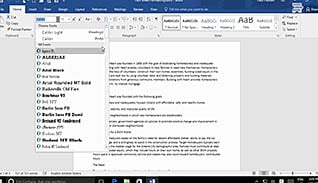
Microsoft Word 2016 Level 1.2: Formatting Text and Paragraphs
Using the text and formatting options in Word 2016 can help make your documents look more polished and...
Microsoft Word 2016 Level 1.3: Working More Efficiently
This training helps workers save time by learning some tips and tricks for using some of the time-saving...

Microsoft Word 2016 Level 1.4: Managing Lists
Microsoft Word 2016 makes it easy to manage lists. This training course shows how to sort, format and...
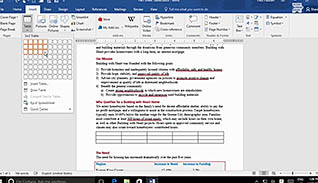
Microsoft Word 2016 Level 1.5: Adding Tables
This Video On Demand explains how to insert a table in Word 2016. The course starts by explaining...
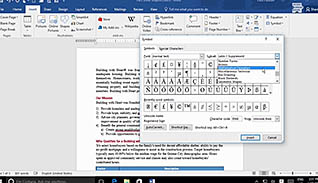
Microsoft Word 2016 Level 1.6: Inserting Graphic Objects
When creating custom documents, symbols or special characters may be required. Most of the time, the symbols are...
Microsoft Word 2016 Level 1.7: Controlling Page Appearance
This training video helps new and experienced Word users format their documents to create a distinctive appearance. The...
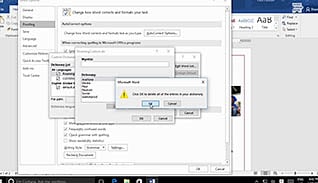
Microsoft Word 2016 Level 1.8: Preparing to Publish a Document
An important step before publishing Microsoft Word 2016 documents on the web is to make sure they are...