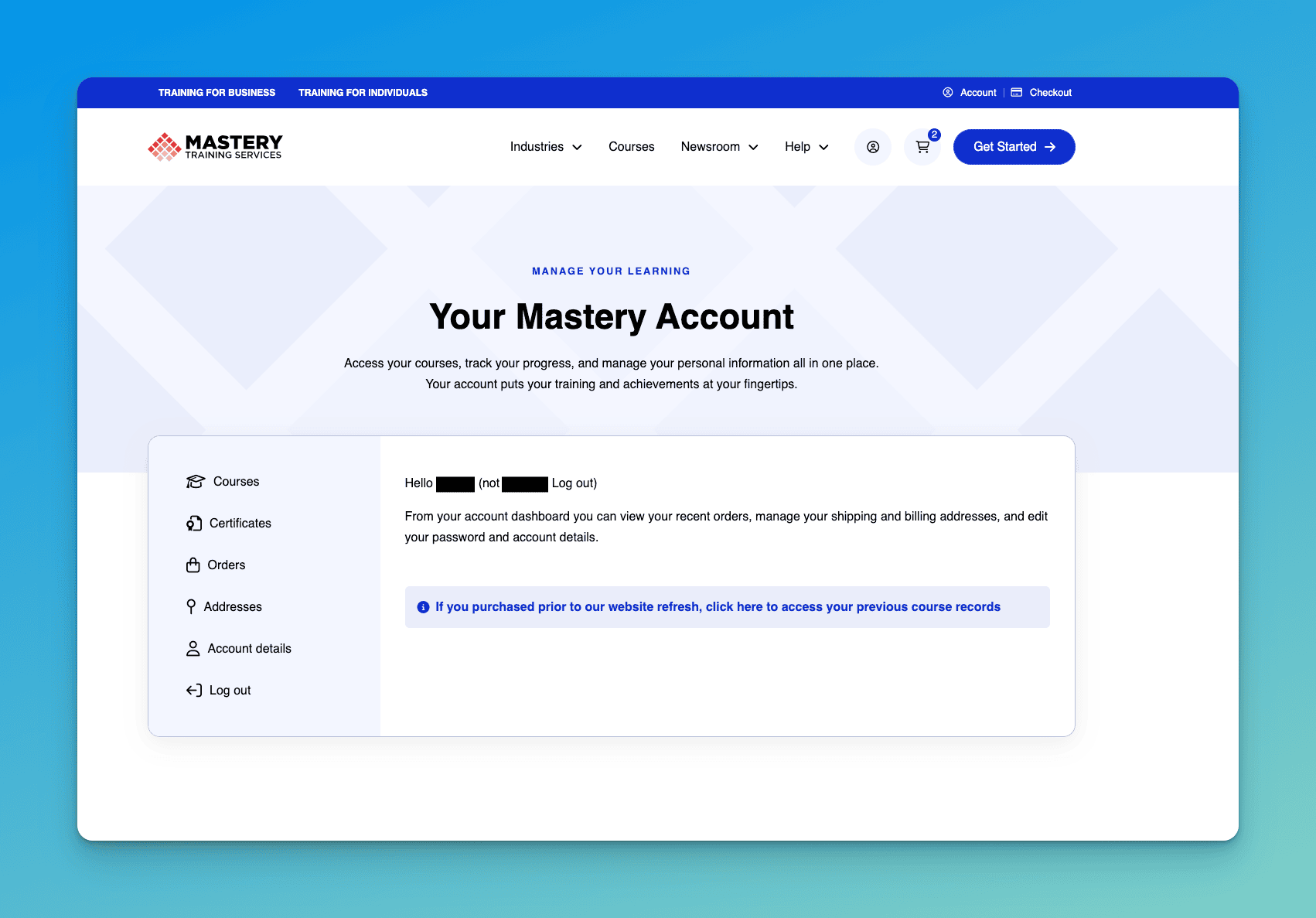
Password Reset
To reset your password simply visit https://mastery.com/account/lost-password/ and follow the steps outlined in the instructions below.
Reset Password
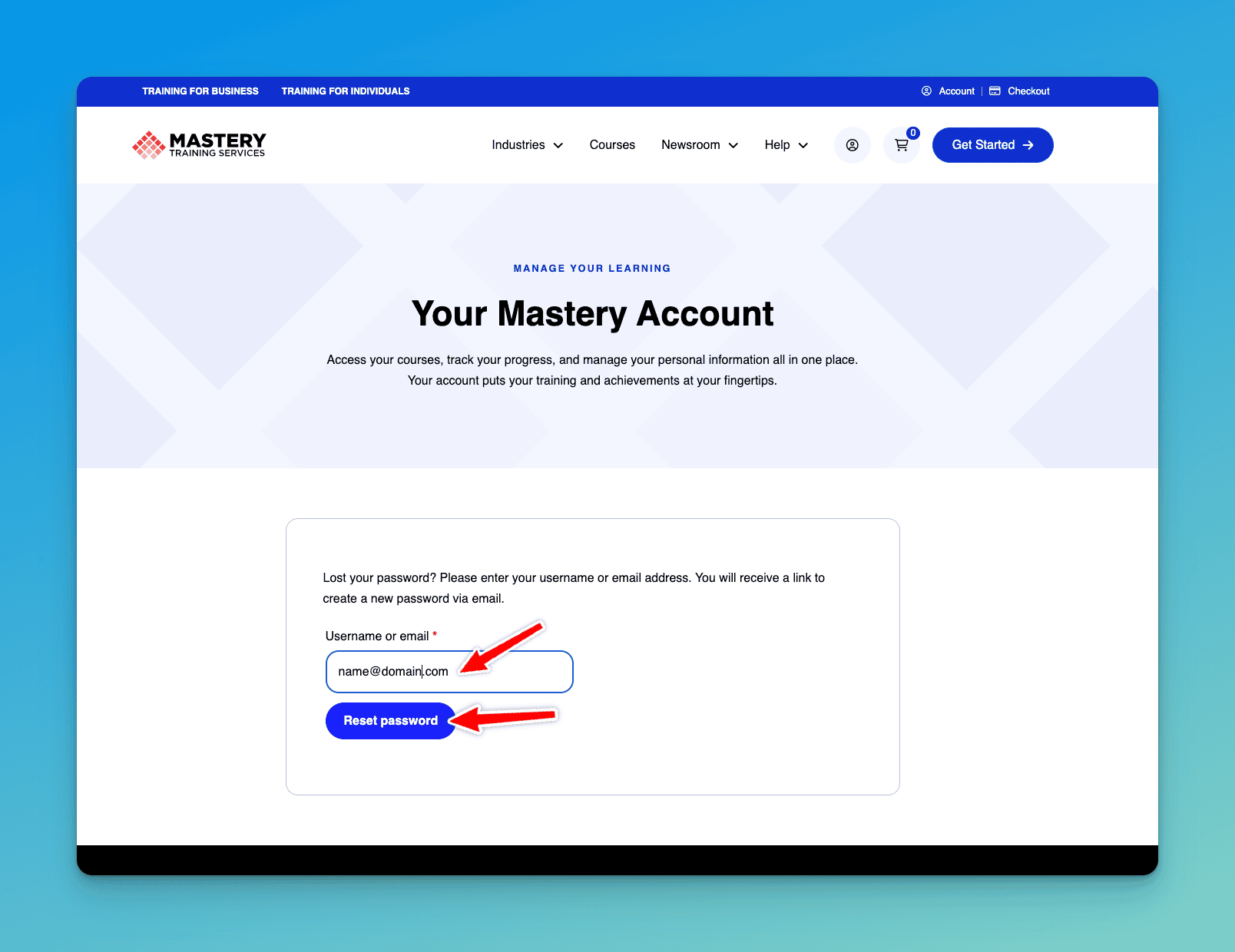
1. Enter your email address and click Reset Password
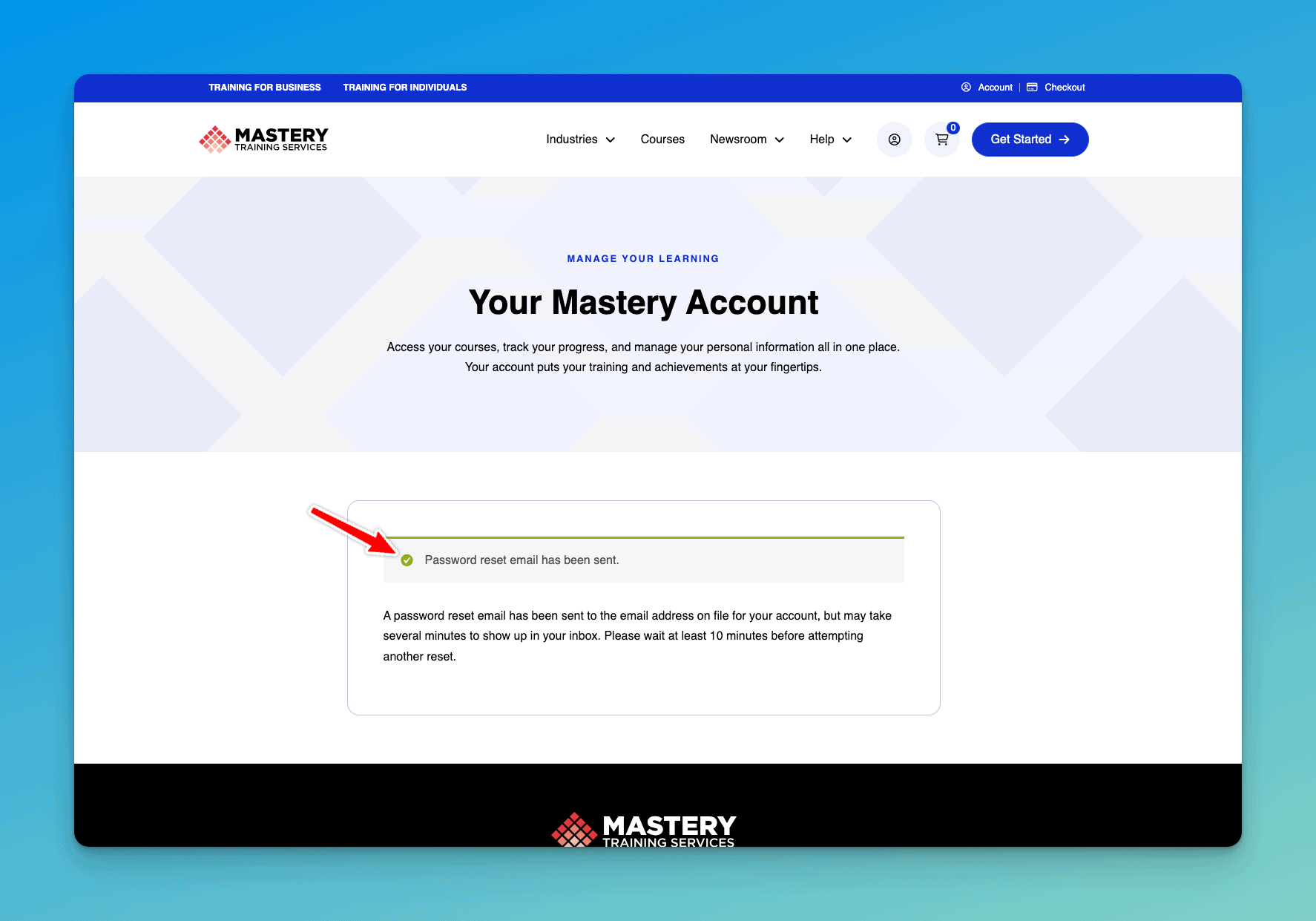
2. You should see a confirmation message that the Password Reset Email Has Been Sent.
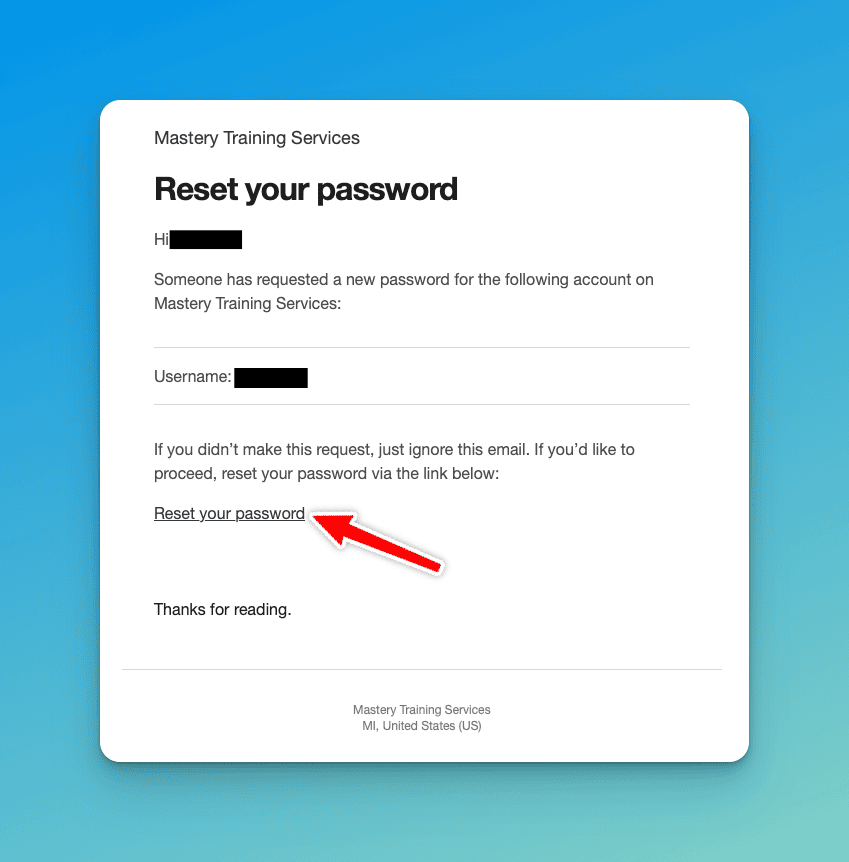
3. The email address associated with your account will receive a password reset email. Please click the Reset Your Password link included in that email.
4. This will take you to the page that allows you to set your new password and confirm your new password.
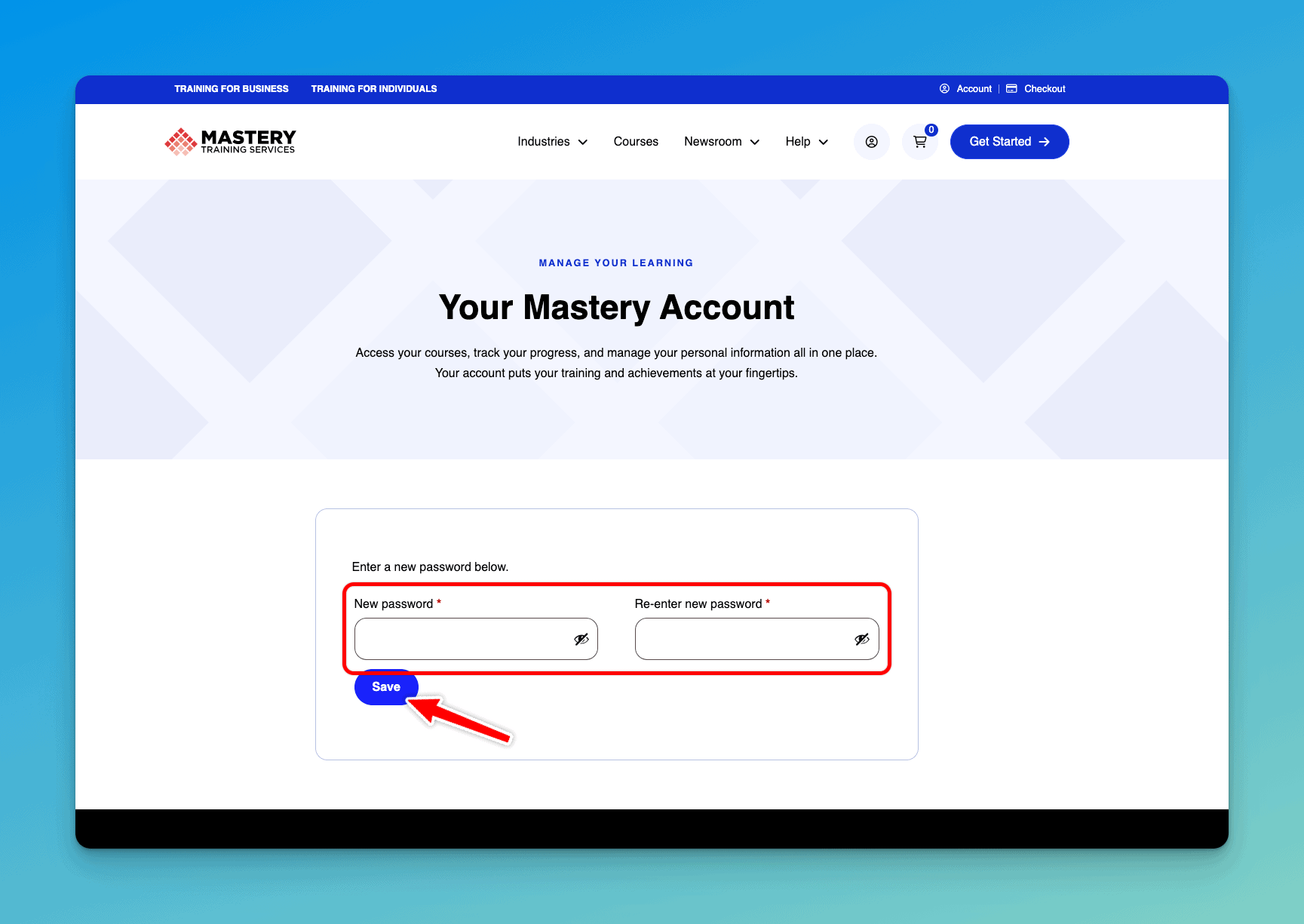
5. You upon successful reset, you will be redirected to your new account page. All new purchases will show up here. If you purchased prior to our website refresh, click here to access your previous course records.