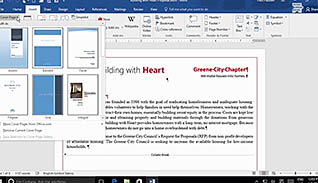
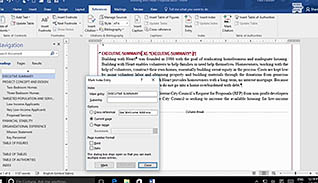
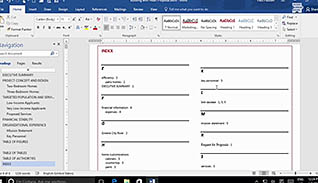
Long documents, such as reports, require more preparation than shorter documents. This training video teaches users how to use functions within Microsoft Word 2016 to simplify formatting of a long document. These functions include inserting cover pages and an index, as well as others. Microsoft Word 2016 has a gallery of customizable cover pages. This course shows how to insert a cover page at the beginning of a document and then customize the title, date, author’s name, and text. Viewers also learn two ways to insert an index. This course also teaches how to insert tables of contents or figures, manage outlines, and create a master document. Watch this training course to learn how to easily format long documents in Microsoft Word 2016.
Purchase Course: Great for individuals or small teams and is completed on a per-seat basis at checkout.
Bulk Discounts: Great for large teams and routes you to our sales team to set up access for your organization.
Please Note: Completing an online course may not fulfill all compliance requirements. Many OSHA and HR regulations also require written programs, hands-on training, or site-specific components. Always verify requirements with your employer or regulatory authority.
Chapters
- 1. Introduction
- 2. Insert Blank And Cover Pages
- 3. Insert An Index
- 4. Insert A Table Of Contents
- 5. Insert A Table Of Figures
- 6. Work With Table Of Authorities
- 7. Manage Outlines
- 8. Create A Master Document